The design report
R1, the package's A4 PDF - its twelve sections, what it says where an input is missing, and what it excludes.
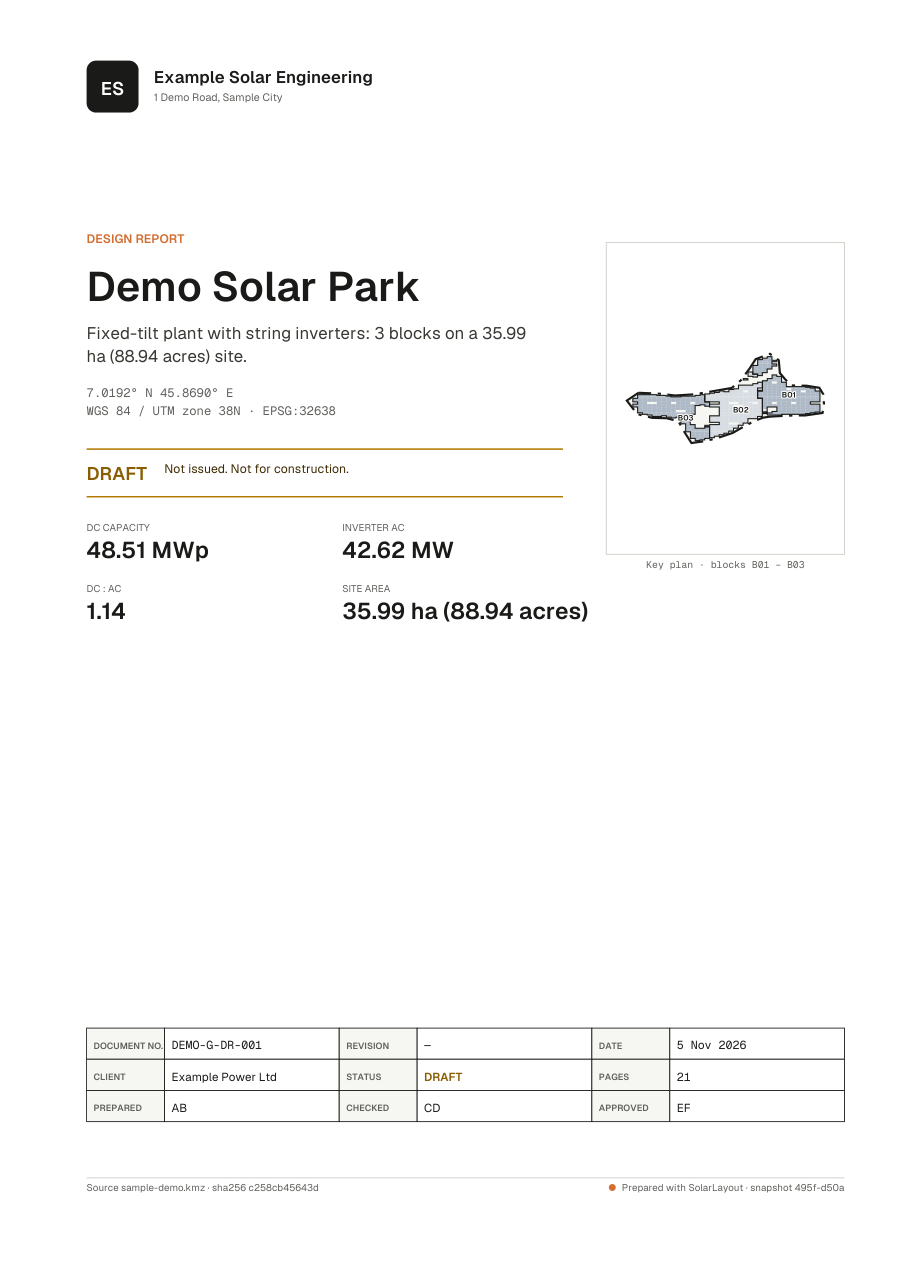
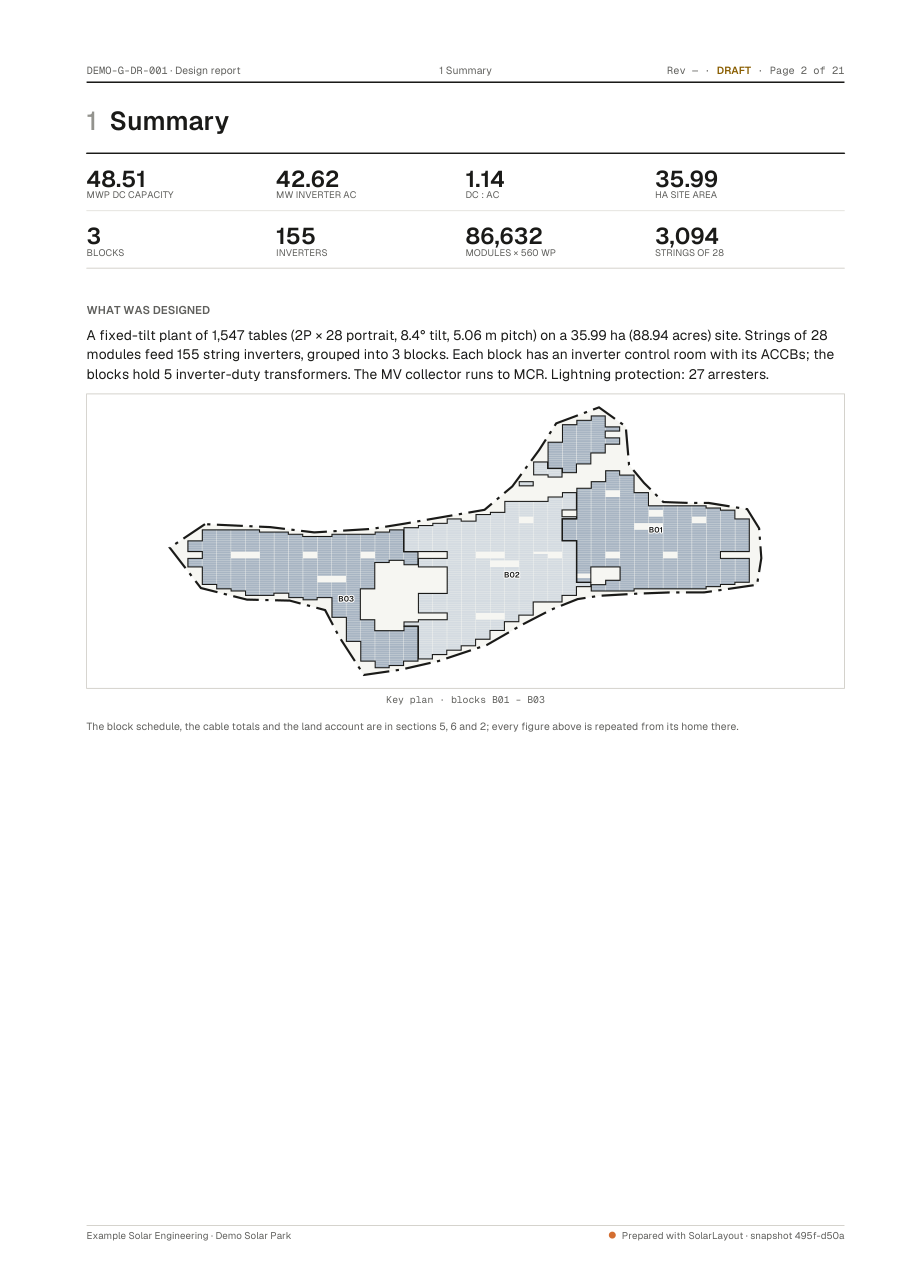
The design report, R1 in the package, writes the design up as an A4 PDF: a cover and twelve sections, each with a bookmark. It is the Design report row in Export deliverables, and it is written from the same snapshot as the drawings and the schedules.
Every figure in it comes from the design. Where an input is missing, the report says Not designed in words rather than leaving a gap.
What it contains
| Section | Holds |
|---|---|
| Cover | The project, its headlines, the status, and the document's number and sign-offs |
| 1 Summary | The headline figures, what was designed, and a key plan |
| 2 Site | 2.1 Location, 2.2 Boundary, 2.3 Land account |
| 3 Design basis | 3.1 Module, 3.2 Inverter, 3.3 Table configuration, 3.4 Pitch, tilt and string sizing: the working, 3.5 Design settings, stated as defaults, 3.6 Design limits and their sources |
| 4 Plant configuration | 4.1 Inverter variants, 4.2 Grouping, 4.3 MV collection and evacuation |
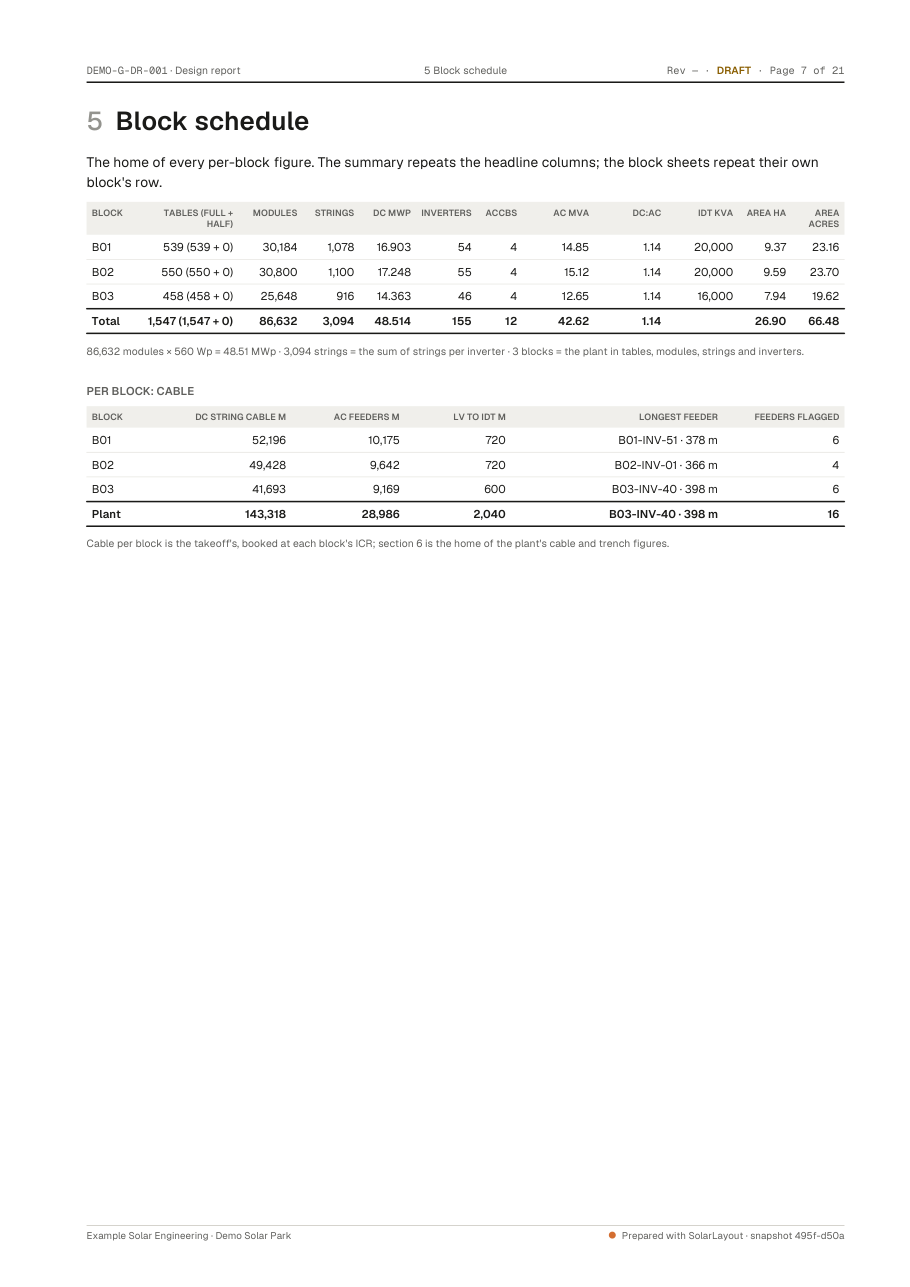
| 5 Block schedule | Every per-block figure |
| 6 Cables and trenches | 6.1 Totals by class, 6.2 Voltage drop, 6.3 Longest feeders or DC trunks |
| 7 Civil and other systems | |
| 8 Earthing | 8.1 Inputs, 8.2 Conductor sizing, 8.3 Earth grid check, 8.4 Quantities |
| 9 Energy | 9.1 Basis, 9.2 Monthly, 9.3 Losses |
| 10 Assumptions, exclusions and open items | What the design assumes, what it leaves out and what remains open |
| 11 Bill of materials | The same lines, quantities and open items as the BOM workbook; nothing is recomputed |
| 12 Revision history and drawing register | The revisions, the sheets, and what is in the package |
Where an input is missing
The report keeps its sections and states what it can't give.
- No inverter file (OND). Inverter AC and DC : AC read "Not designed".
- No energy run. Section 9 stays and says energy was not calculated for this design, and that the section prints once the yield has been run. See Energy yield.
- Soil not measured. Section 8 says the soil value is assumed, and that the grid check stands once a soil test confirms it. See Earthing design.
What it excludes
Section 10.2 lists three fixed exclusions:
- Costs, CAPEX and LCOE.
- A formal yield assessment. The figures in section 9 are indicative.
- Structural design of the mounting structure and the buildings.
On a central inverter plant
The report uses the plant's own terms: table to SMB, LV, central inverter to IDT, section 6.3 Longest DC trunks, and section 4.2 Grouping: SMB → central inverter → IDT → MV.
Draft or issued
A draft's running footer reads "Rev — · DRAFT", and the cover says DRAFT and that it is not for construction. An issue prints its revision and purpose on the cover and in the footer, and adds a row to section 12's revision history. See Issuing a revision.
The report's design checks stay in the application: no check result prints in it. See Design checks.
The PDF's own properties name it for a document system: the title is "<project> · Design report", the subject gives its number, and the author is the company.
Where to go next
The drawing set
The package's numbered sheets - cover, general arrangement, block, pile, earthing and single-line sheets - and the DXF twin that holds them in CAD.
Schedules and KMZ
The package's schedules workbook, bill of materials, Google Earth file, piles.csv and manifest - what each holds, column by column.