Grid connection by others
Designing a plant with no main control room or substation of its own, as in a solar park, with or without a handover point for the medium-voltage cable.
A plant in a solar park usually has no main control room (MCR) or pooling substation of its own: the park provides them. Choose By others under Grid connection and SolarLayout Desktop designs the plant up to where your scope ends, and every output says the rest belongs to someone else.
The choice is on the Grid connection & Objects card of the Tools tab, once a layout is on screen. On this site is the default: the plant has its own main control room, as described in Site equipment.
Decide where your scope ends
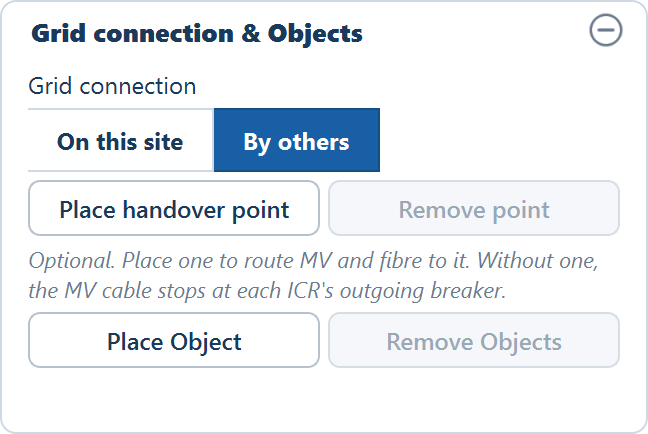
The question to settle is who runs the medium-voltage (MV) cable from the inverter control rooms (ICRs) to the park's substation.
| Your scope | What to do | What the design holds |
|---|---|---|
| You run the MV cable to the park's terminal | Choose By others and place a handover point | MV cable, fibre, termination kits and joints, routed to the point |
| The park runs it from your ICRs | Choose By others and place nothing | Everything up to each ICR's outgoing breaker panel |
Place a handover point
Click Place handover point
The plot shows "Click the plot, its fence or just outside it to place the handover point."
Click where the cable hands over
The point can stand inside the plot, on its fence, or outside the fence up to the Handover point reach: 200 m unless you change it in File ▸ Advanced settings…, in the Layout group. Further out, the plot says how far is allowed and nothing is placed.
Read the result
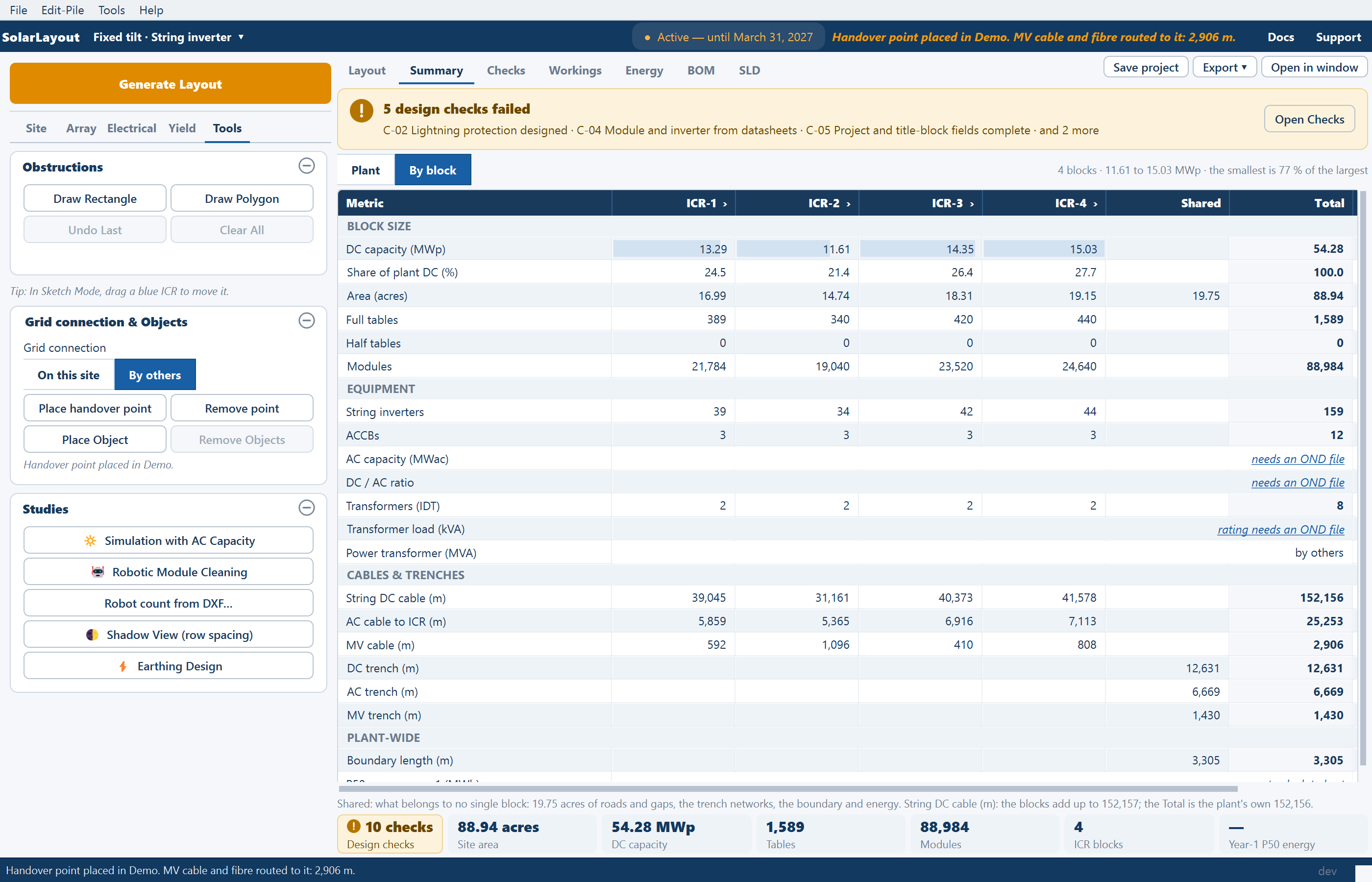
With Calculate cables on, the cables route straight away and the plot reports "MV cable and fibre routed to it: n m." With it off, the plot tells you to tick Calculate cables and generate again.
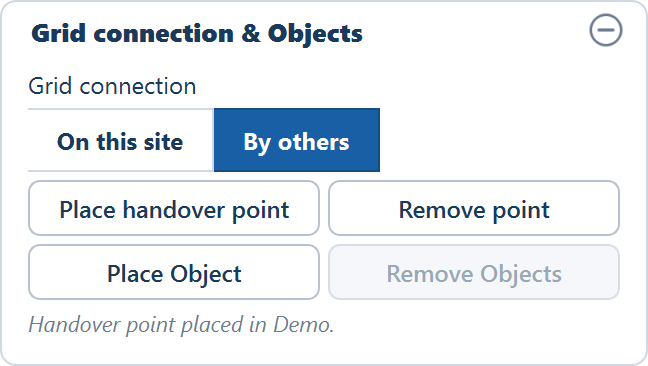
A handover point is a position, not a building. It removes no tables, casts no shadow and takes no earth pits, and the DC and AC cables stay as they are. It is named HP-1 on the plan, in the drawings and in the schedules. To move it, turn on Sketch and drag it; Remove point takes it away.
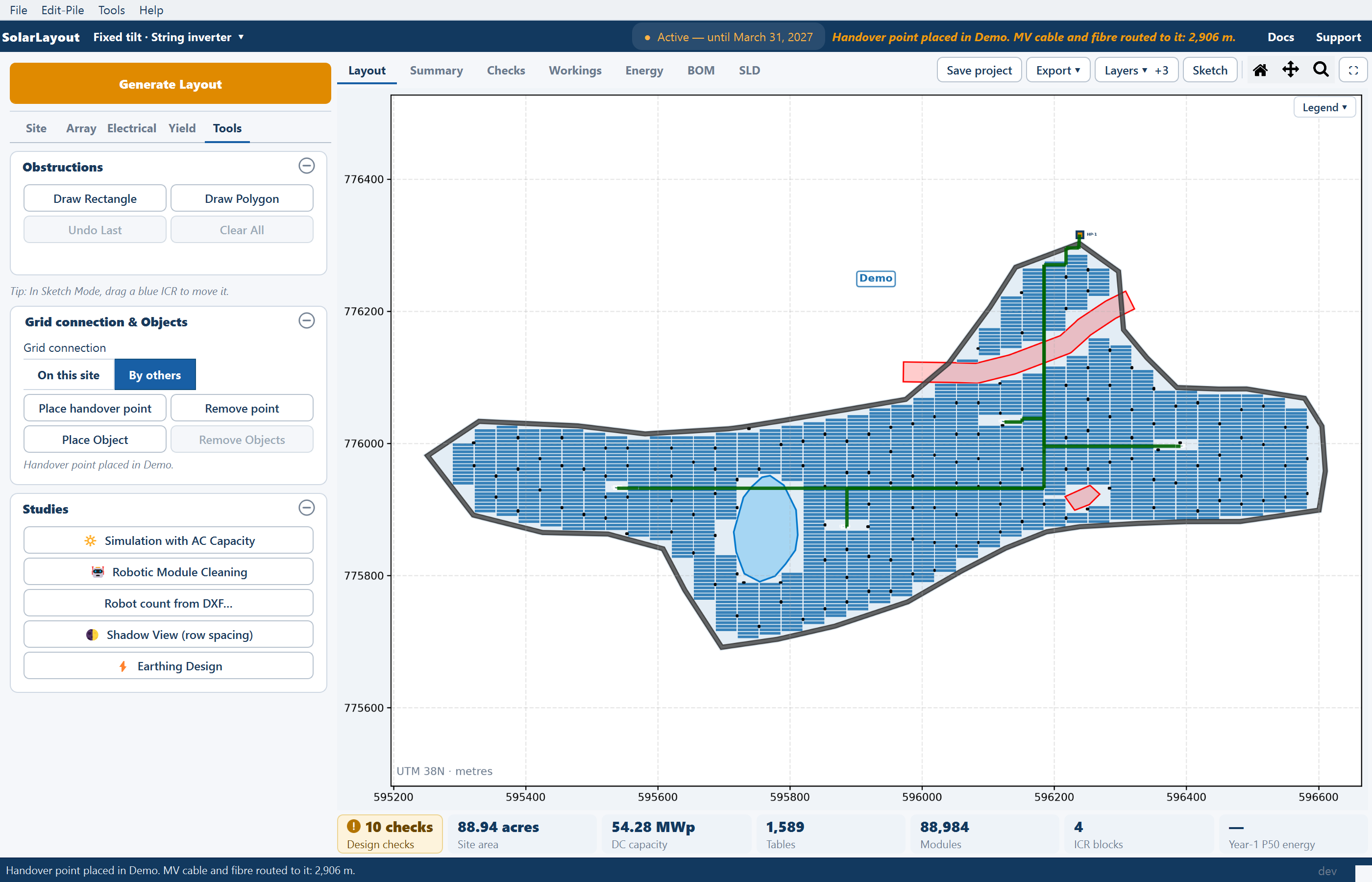
On a site with several plots, each plot can have its own point, numbered in the order you place them, and no unit substations are placed. A plot with no point stops at its ICRs' breaker panels, so one project can hold both scopes.
What changes in the bill of materials
| Line | On this site | By others, handover point | By others, no point |
|---|---|---|---|
| MCR building, furniture and air conditioning, water tank | Yes | No | No |
| Power transformer, its body earth pits and its nitrogen fire protection | Yes | No | No |
| HT panel, HT feeder panel, 50 kVA auxiliary transformer, the MCR's earth pits | Yes | No | No |
| MV cable, joint kits, optical fibre and its conduit, MV trench earthing strip | Yes | Yes | No |
| MV termination kit at the ICR | Yes | Yes | No |
| MV termination kit at the far end | Indoor, at the MCR | Outdoor by default, at the handover point | No |
| Breaker panel at each ICR, IDTs, ICR buildings | Yes | Yes | Yes |
| Weather station and its RS485 cable | At the MCR | On site, at the first ICR | On site, at the first ICR |
Lines you enter by hand stay in the list whichever you choose, because the application can't tell who provides them: the metering yard, modem, CCTV, CAT-6 cable, borewell and RO plant, security cabin and main gate. Switch off any the park covers.
What the outputs say
- Design report: with a point, "The MV collector runs to HP-1. The pooling substation and the main control room are by others." With no point, the MV cable from each ICR's outgoing breaker is listed as by others too.
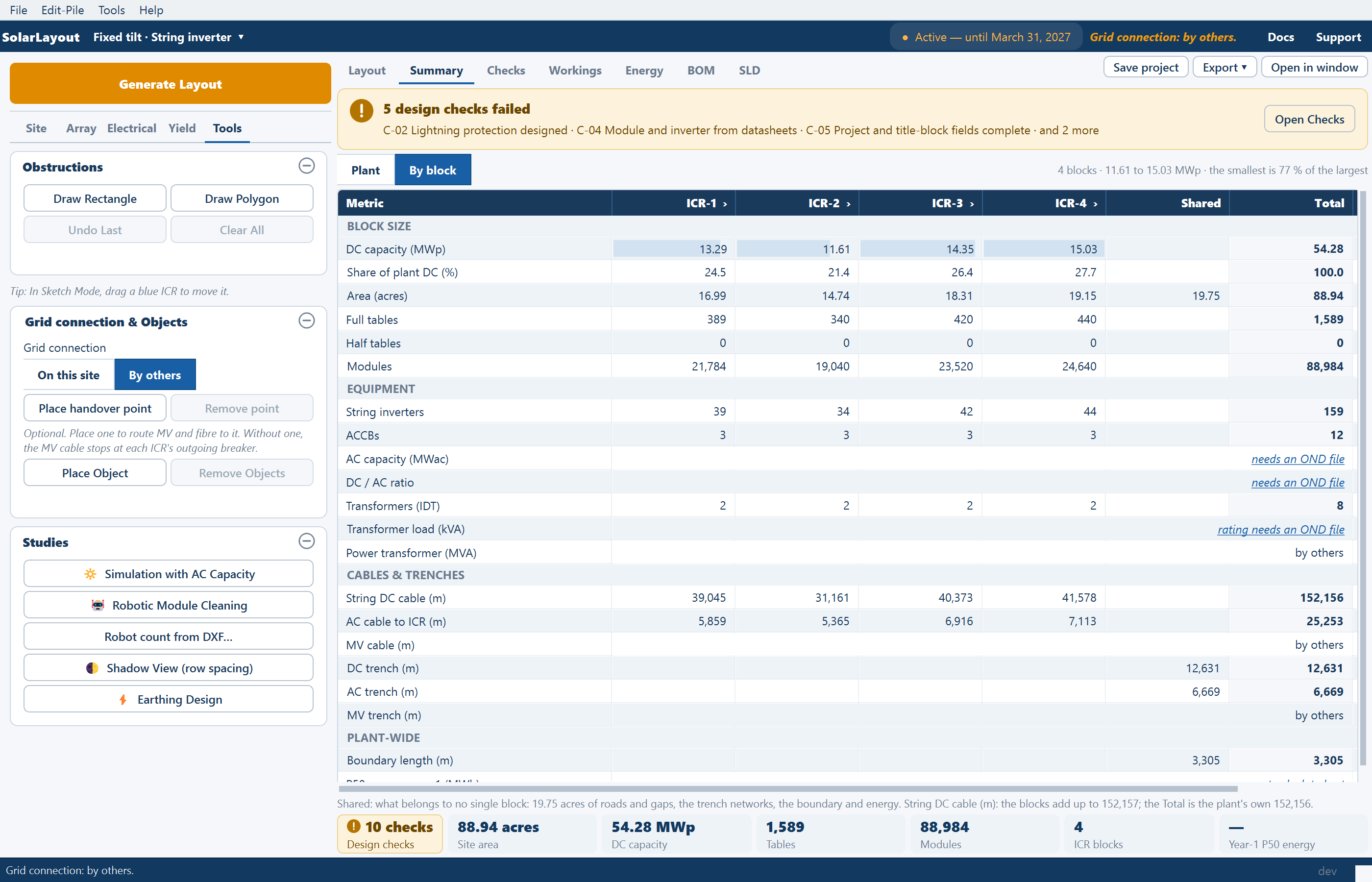
- Single-line diagram: with a point, the feeders run to it. With no point, each ICR's panel ends with "MV and grid: by others".
- Schedules workbook: the Feeds column of the Blocks sheet names the point or reads "By others".
- KMZ and DXF: the point is drawn and named; with no point there is nothing to draw.
- Design checks: MV collection designed passes with a point, and does not apply with no point.
- Summary and Workings: the power transformer reads by others, and so does the MV cable when there is no point.
Changing your mind
Choosing By others on a plant that holds a main control room or unit substations removes them at once, and the tables they had cleared return to the layout. The DC and AC cables were routed around the old layout, so generate again to route them. Choosing On this site removes any handover points and leaves the other cables as they are. Neither change brings back what the other choice removed: place it again.
Saved projects keep the choice.
If the card reads On this site and nothing is placed, the outputs treat the main control room as missing and say so, because it may not have been placed yet. Choose By others when it is genuinely someone else's.
Main control room, substations and street lights
Placing the main control room and other structures from the Tools tab, moving them, and the perimeter street lights you enable before generating.
Obstructions
Every kind of ground kept clear of modules — water, buildings, line corridors, terrain, shadows — and how to draw an exclusion by hand from the Tools tab or in Sketch Mode.